
Oconee County Civil Docket Searches
The official Oconee docket page links to Tyler Case Management Plus. Party Search works when the case number is unknown. Enter last name before first name, omit a suffix, and use at least two letters. The court and division filters are optional. Start broad, because a wrong division can hide an otherwise valid Oconee County civil docket result.
Exact Case Number mode separates the court, division, four-digit year, and sequence. Tyler accepts up to six sequence digits and pads the number. A safe notation is SU-CV-YYYY-NNNNNN. Associated Party mode can find a person or entity connected to the case without being the main named party. If the public search fails, call 706-769-3940 or ask the clerk in Room 208 at the courthouse.
- Continue as a guest or sign in with an approved account.
- Choose SU for Superior or MG for Magistrate.
- Select the matching civil division, then search a name or exact number.
- Open the case and inspect details, Proceedings, and image indicators.
- Use the clerk or eCertification when a certified order is required.
Search both Active and Inactive for an older matter. The status filter does not explain the outcome, so the newest proceeding and controlling order still need review.
Oconee Civil Court Routes
Oconee County civil work is split by venue. Superior civil matters appear under SU / CV, with added visible divisions that include Family Violence, Self Represented, and Tax Equalization. Magistrate Court uses MG and offers Civil Claims, Dispossessory, Garnishment, Foreclosure, Interrogatories, and related choices. Georgia Courts describes Magistrate jurisdiction as including civil claims up to $15,000.
| Search route | Oconee use | Check next |
|---|---|---|
| SU / CV | Broad civil and domestic matters | Proceedings and filed order |
| MG / Civil Claims | Lower-value civil claims | Case status and judgment |
| MG / Dispossessory | Possession proceedings | Latest setting or order |
| MG / Garnishment | Garnishment process | Party role and filings |
The code is a search aid. It does not state who prevailed or what relief was ordered. When a division label is unclear, the clerk can confirm the correct Oconee County civil docket route.
Civil Dockets: What They Show
The verified Oconee index exposes party names, court code, division, filing-date range, case status, and exact number components. The 2024 user guide adds result counts, paging, case selection, Proceedings, Print Index, image availability, a cart, and a post-purchase print or save period. No anonymous civil sample supplied a full motion or judgment codebook, so actual filings control.
| Case Number | Court, division, four-digit year, and padded six-digit sequence. |
|---|---|
| Parties | Names returned through Party or Associated Party search. |
| Filing Date | A search constraint, not always the latest event date. |
| Status | Active, Inactive, or All; local meanings are not fully published. |
| Proceedings | The guide-described list of recorded events or settings. |
| Image | A linked document available only when approval and access allow it. |
A Print Index is not a certified judgment. A screen can help track an Oconee County civil case, while the clerk’s copy carries the actual filed text and any requested certification.
Oconee Mandatory Civil E-Filing
Oconee Superior Court accepts PeachCourt and Odyssey eFileGA for general civil and domestic-relations cases, and the county says civil e-filing is mandatory. Magistrate general civil filings use Odyssey eFileGA. Provider charges are processed at filing, and the county notes that email alerts may report filing activity. These systems receive filings. They do not replace the public Tyler index.
The Oconee e-filing page shows the local provider routes.
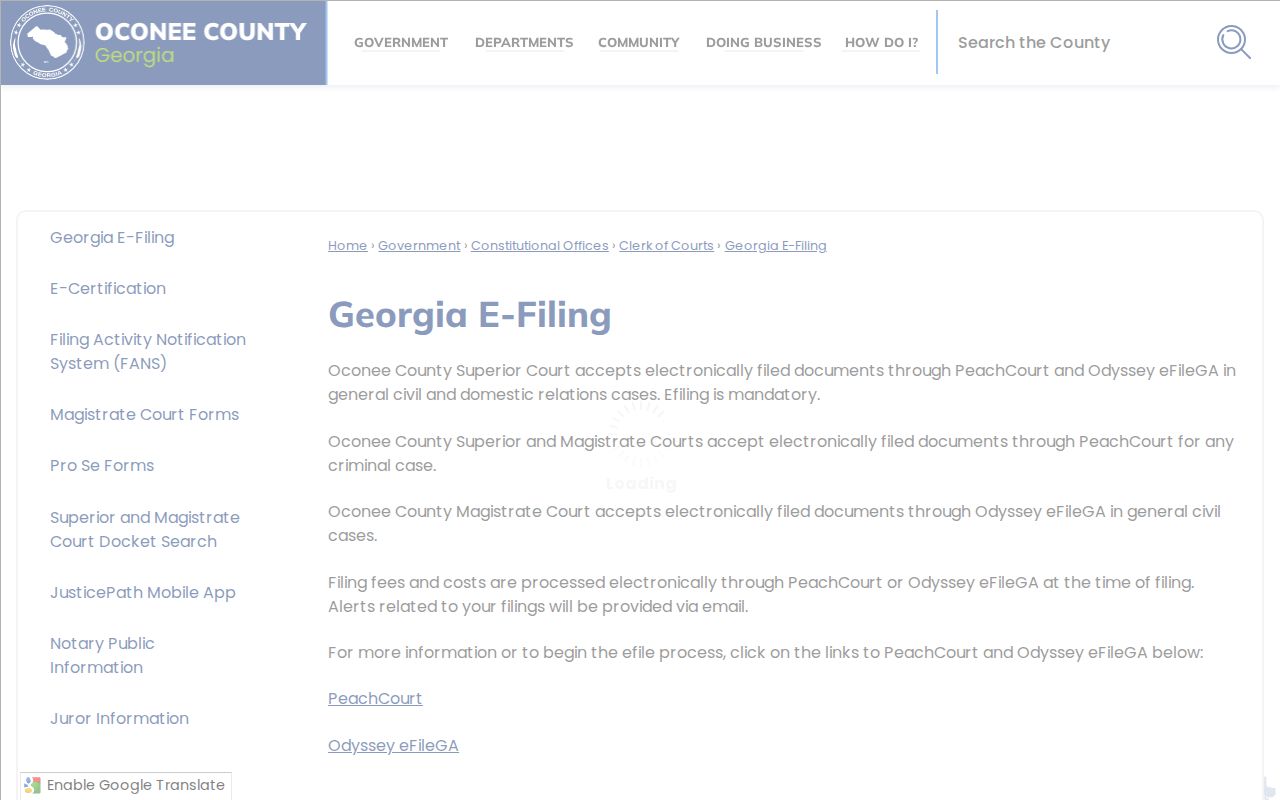
The captured page links court and case type to the correct provider. A pleading may take time to reach the public Oconee County civil docket after submission and clerk processing.
The Georgia statewide e-file chart supplies the state standards and Oconee participation context.
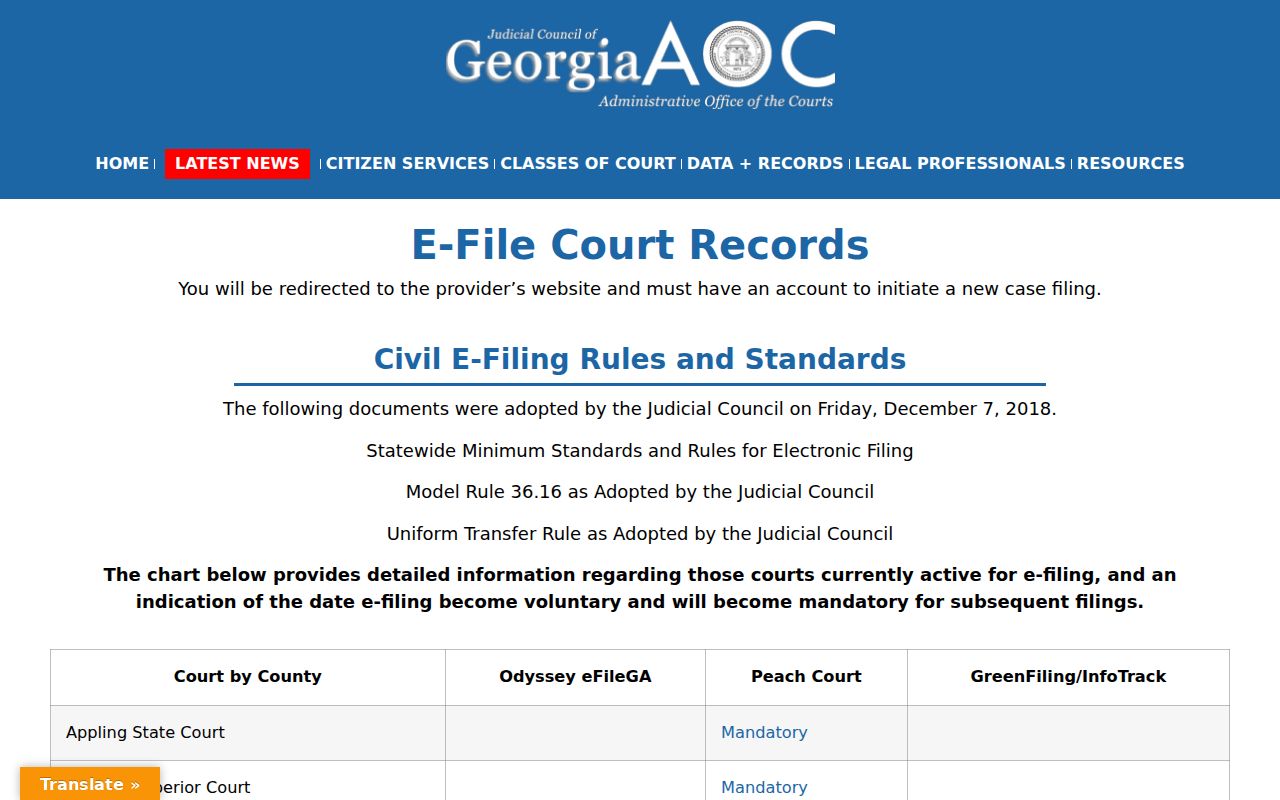
The statewide chart confirms electronic filing coverage, while Oconee’s own page identifies which provider handles each local civil filing.
What Cases Fill the Civil Docket
Historical Oconee material identifies Superior civil work involving contracts, divorce, custody, child support, alimony, family violence, personal property, and related matters. It also identifies Magistrate work involving dispossessory cases, judgments, garnishments, and property disputes. These categories show local range, but they are not current filing totals.
- Contracts and other broad Superior civil disputes
- Domestic relations, custody, and support matters
- Family violence proceedings with added access safeguards
- Magistrate civil claims and judgments
- Dispossessory, garnishment, and property matters
Probate records follow a separate office, and Juvenile records have their own confidentiality limits. Search venue first rather than treating every noncriminal matter as an ordinary SU / CV file.
Oconee Civil Docket Index Versus Pleading
A docket index answers where a civil matter was filed, which parties are connected, what status filter applies, and which proceedings appear. A pleading is the complaint, answer, motion, or other filed document behind an entry. The two layers are linked but not interchangeable. Tyler can show an image indicator even when the guest cannot open that image.
The Odyssey eFileGA landing page illustrates the submission provider used for Oconee Magistrate general civil filings.
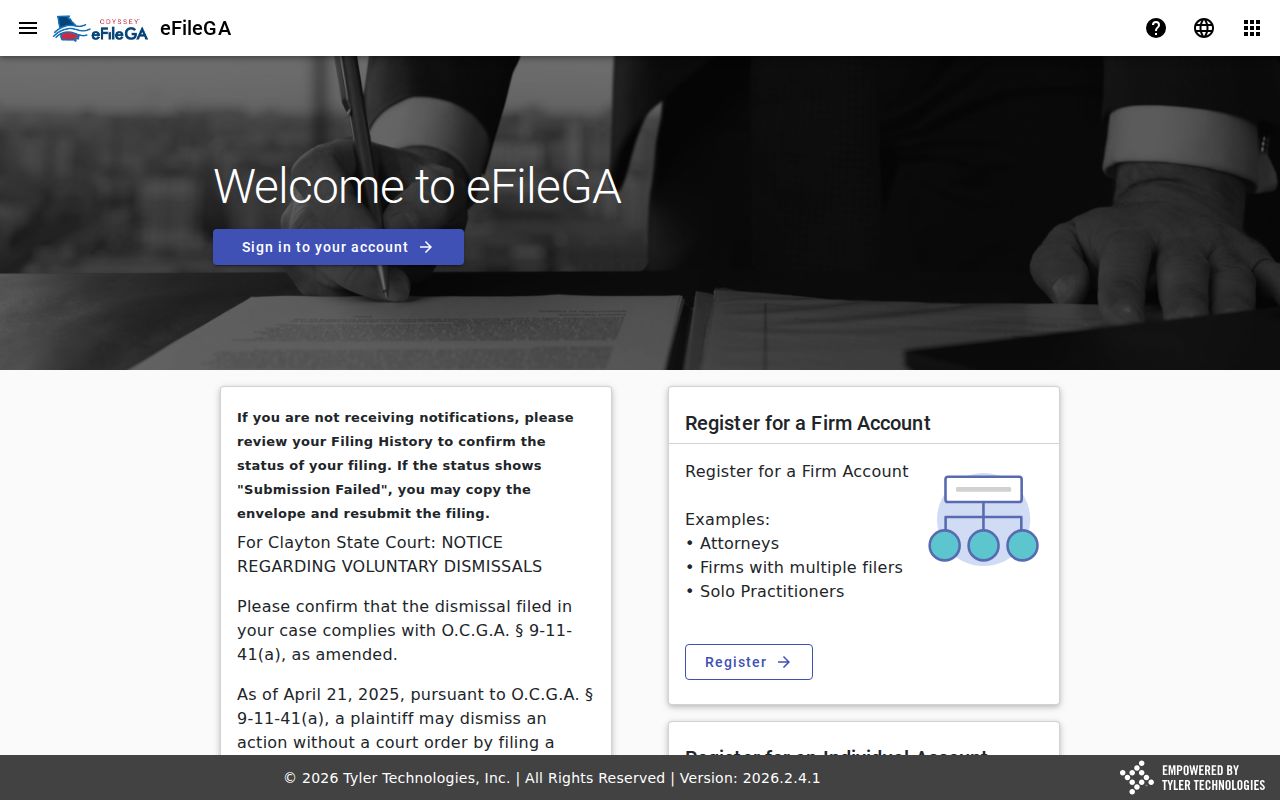
Odyssey receives a filing. Tyler helps locate the index, and the clerk supplies public or certified copies. The official guide says approved account holders may use an image cart and retain purchased print or save access for 30 days. It does not publish a verified Oconee per-page Tyler price.
Hearings on the Civil Docket
Oconee’s clerk page says Magistrate civil hearings are held Thursdays and Fridays. That recurring pattern is useful context, not a substitute for the notice or proceeding in a specific Oconee County civil docket. No single public county table was found that exposes every civil date, time, courtroom, judge, setting type, and status.
Open Proceedings where access permits, compare the newest entry with the served notice, and confirm a doubtful date with the clerk. A reset or continuance moves a setting. It does not dismiss the civil case. The Oconee County Court Schedule explains the documented date-check channels across venues.
If the docket and notice conflict, the responsible clerk should identify the current setting. The research found no public Oconee reset-code list or daily civil calendar export.
Inactive Oconee Civil Cases
Inactive is a Tyler filter, not a published finding that states how an Oconee County civil case ended. Do not infer judgment, dismissal, or settlement from that word alone. Read the latest proceeding and final order. A completed case may still hold documents needed for an appeal, genealogy search, property issue, or a party’s own records.
When a known case is absent, search All status, widen the dates, test every name spelling, remove suffixes, and confirm the court and division. Try Associated Party next. Then call the clerk. A new filing may await processing, or the file may be sealed, redacted, restricted, misindexed, or assigned to a different venue.
Note: Family violence and juvenile-connected records may expose fewer fields than an ordinary contract or Magistrate civil claim.
Who Can See Civil Dockets
Uniform Superior Court Rule 21 starts with public access unless law or the rule’s restriction process applies. Rule 21.6 protects identifiers in certain protective-order records. Rule 36.16 gives electronically filed court records the same basic access as paper records, while sealed material does not become public merely because it was e-filed. Redaction can remove protected data without closing the whole record.
Key rules: Uniform Superior Court Rules 21 and 36.16 govern access limits and electronic records.
O.C.G.A. §§ 50-18-70 et seq. covers existing public records but does not require a new report or compilation.
Protected identifiers, financial details, exhibits, and sealed filings may not be available through the same channel as the public index. The presence of one protected field does not always close an entire record. Ask the custodian whether a missing item is redacted, sealed, restricted, or simply not processed.
Certified Oconee Civil Orders
A search result can locate the case, but a certified civil order comes from the clerk. The county docket page routes copy requests to eCertification. The requestor selects the case and document, submits the request, and waits for clerk review. The workflow may show Awaiting Payment Final Authorization before payment is due. That status does not mean the copy is complete.
For an online failure, contact Angela Elder-Johnson’s office by phone, at the Room 208 counter, or by mail. Describe the court, division, case number, party name, and exact order sought. Ask the clerk to quote the current copy and certification charge, because the research did not locate a complete Oconee court-copy fee table.
A plain copy reproduces the document. Certification adds the clerk’s formal attestation. Choose the level that fits the intended court or administrative use.